Module Evaluation

This module has definitely been one of my favourites. Yes Mark, I’m vibrating! Although I was a bit sceptical at first because Mark was a bit… weird… I have to say his personality has grown on us. It was very good that he treated us as adults and not as little kids. When he commented that the “Tauheedul Mafia” don’t generally like him, well I hope he can change that now because this class’s Tauheedul Mafia don’t mind him too much.

In terms of his content, it was interesting learning how to use the MAC’s and all the other new technology. We faced difficulties yet we overcame them as a class. I believe 100% that Mark’s lessons brought us closer as a group, through the fun games of Kahoot and the group tasks.

I shall definitely miss this class, and I wish you (Mark) all the best.

Commentary 3 – Game

This was the last lesson before the Easter holidays, so I was hoping it would be something fun. Luckily, we were creating a game! Mark told us to create groups of 2 or 3 and create a game aimed at primary school students with an educational purpose to it. We were given access to all technology and resources on the fourth floor.

Creating the game was in a classroom so a formal setting, however it was informal learning because we were creating/playing a game and we accidentally learnt some new information.

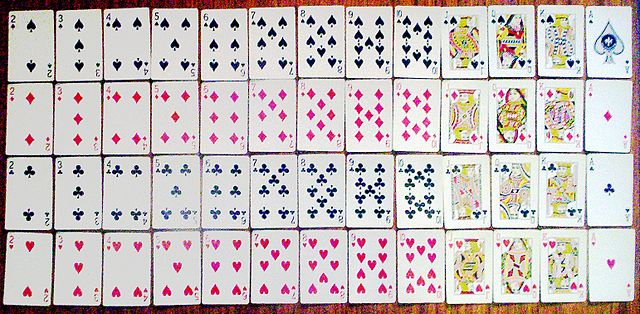
My group consisted of myself, Sidra and Neelam. We had decided to create a memory game using playing cards. Now, we didn’t have the playing cards, so we had to print them out. Already we experienced difficulties as the MAC computers are horrendous, therefore trying to get the images from google was an absolute headache. Even when we had finally got the images, it was hard trying to crop and edit it to make sure we got the cards we wanted.

The rules of the game were that 10 cards were set out on the table- one student per game. The student had to memorise the 10 cards set out on the table- the number, the suit and the colour- within a specific time frame. We had set the time to 30 seconds. Once the time is up, all 10 cards are turned over. The student is then given 15 cards in their hands, 10 of them being the same as the ones that are hidden. They had to place the cards below the ones that were turned over, which allows you to see how many cards they had memorised.

Now when we were creating the game we faced a few difficulties, as first, the editing of the images on Microsoft Word was quite hard. Secondly, when we were printing, the cards came printed the wrong way, so we had to scrap some of them. Creating the game was a lot more time-consuming then we thought because we had to wait for the printer to be available, then halfway through the paper ran out so we had to wait for Kath to come and re-fill. Once printed, we had to use the guillotine to cut out each card accurately. By the time we finished, the lesson was over, so we didn’t get time to actually play the game.

The way this game contributes to the learning of primary students is that it assesses the way learning and memory work together. Atkinson and Shiffrin discuss how learning is the ‘… acquisition of new information.’ and memory is ‘… the ability to recall information.’ (Hill, 2018). This shows how when the student has been presented the cards, they are learning new information- the sequence of the cards. As they try to memorise this, the information goes into their short-term memory.

Working with this group was good as we all understood each other and are already aware of each other’s strengths and weaknesses, therefore Neelam was assigned research and I was assigned doing the computer work. However, as we are too comfortable with each other, we took our time and talked a lot.

One other issue we faced was that the MAC computers were extremely slow. Luckily, we realised after a while that Neelam had her laptop, so we were able to create the game with a bit more ease.

Overall, I feel as though this was a good lesson to end on before the Easter holidays. It was a lot of fun going around and seeing how other people’s creativity led to them creating new and interesting games. I also liked the fact that we were given access to resources on the fourth floor. Being creative in Mark’s class allows for a lot more ‘chill’ environment and I appreciate the fact that he allows us to roam around to get whatever bits we need.

Creative making

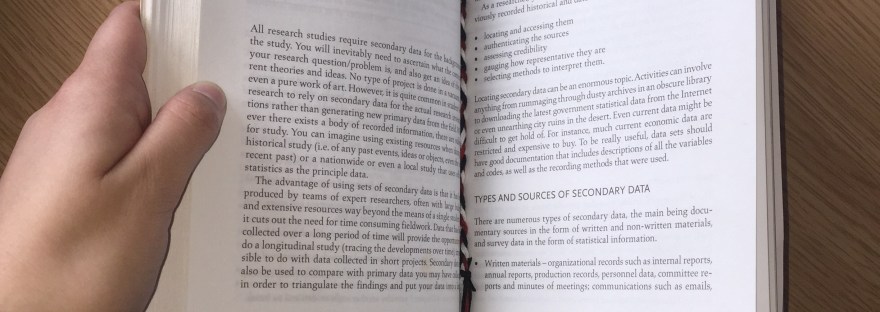
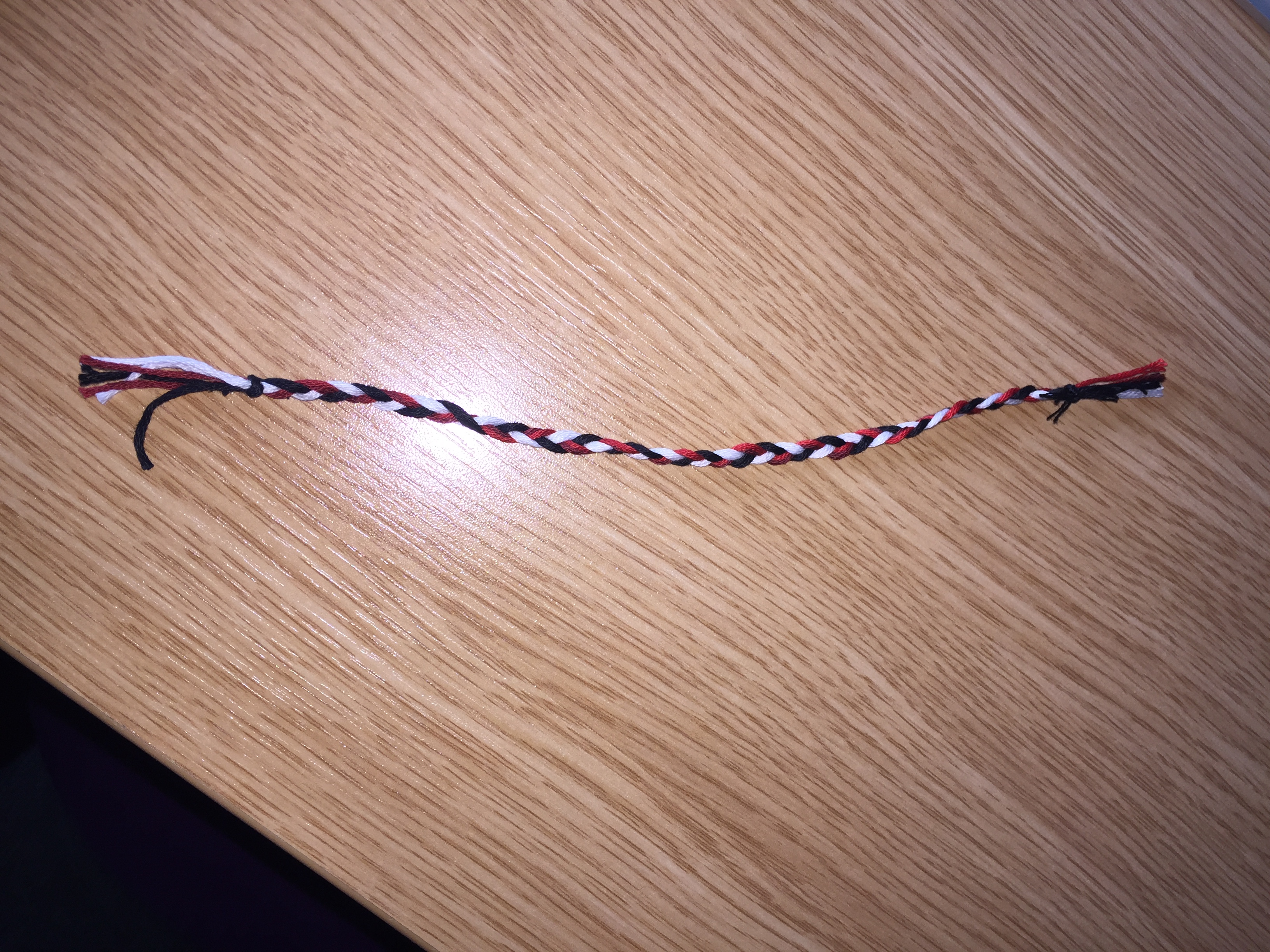
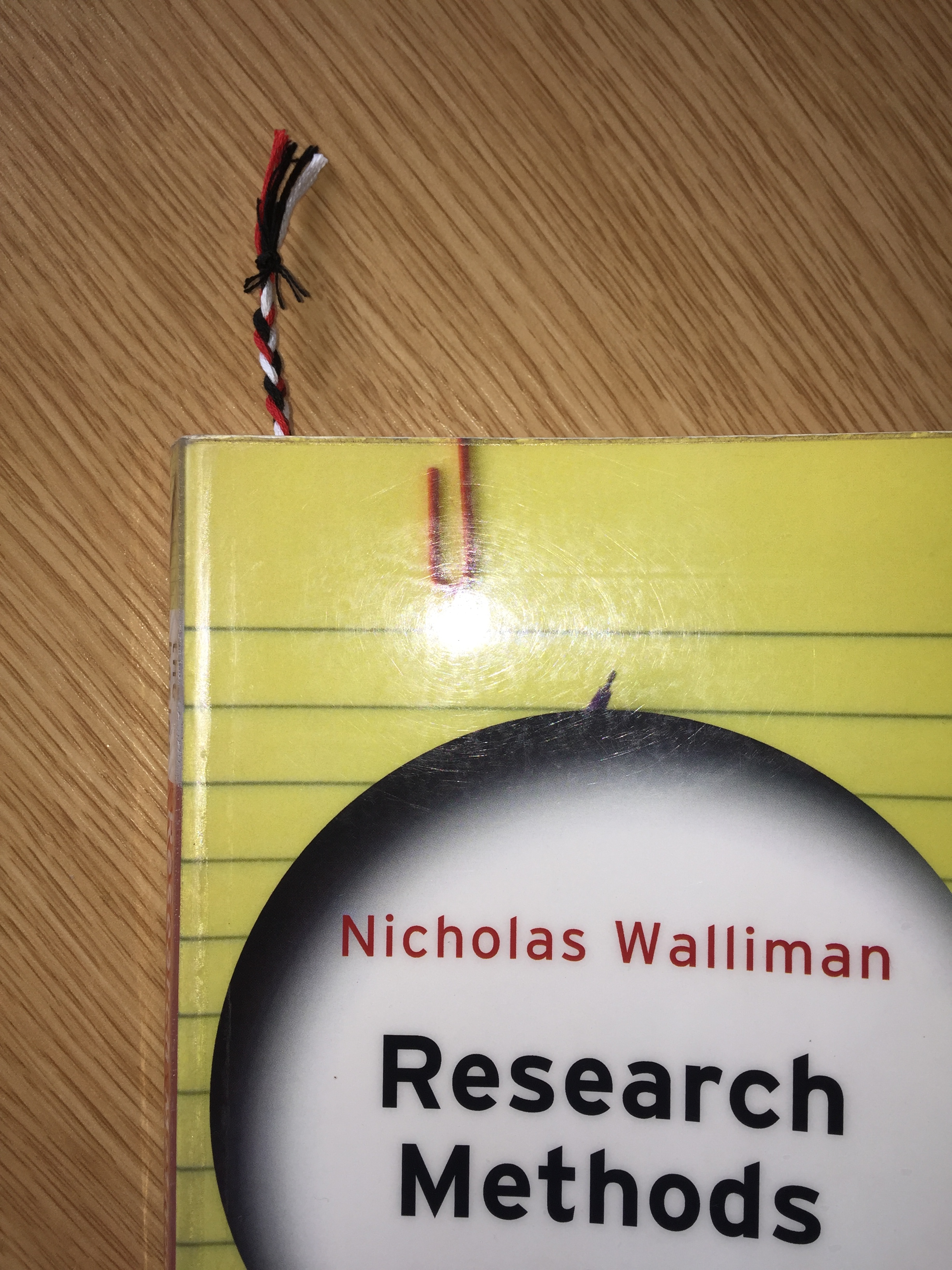
In the first half of this lesson, we presented our Prezi’s. I thought every group did something different, and everyone did a brilliant job. In the second half of the lesson, we used the website ‘instructorbuds.com’ to create something of our own choice. Although I found many things that looked appealing, either it was too complicated and time-consuming, or the resources needed were not available. For that reason, I googled how to create a 3-string bracelet. I followed the instructions of braiding to make it. At first, I didn’t encounter any problems, however, when it came to the end and I needed to close it off to make it into a bracelet, I struggled. I tried it and put it on yet it broke. So instead, I turned my bracelet into a bookmark! I thought it was a great idea as I love reading and therefore worked well!

Learning Outcome 4 Reflection

This took place over 2 lessons. In the first one, Mark assigned us our groups so mine consisted of Me, Megan, Charlotte and Sidra. First, we chose a topic: Social media guidelines for teenagers. As I have already used Prezi before, I was the designated computer person. Whilst I logged on, we all researched different websites to get our information from. Once we had logged on, we decided to create 3 main topics with 3 subtopics.  Our first topic was ‘Social Media’. I found a website that gave some statistics on social media and we chose 3 of them. Our second topic was ‘Guidelines’. Although Charlotte left early, she found a very good website that gave different guidelines. Our first subtopic was ‘Posting content and comments’, the second was ‘Protecting privacy’, third was ‘staying safe on social media’. The third guideline was ‘Age restrictions’. And finally, the last topic was ‘age restrictions. For our introduction, we found a picture of a timeline on the introduction of different social media accounts.

I thoroughly enjoyed this group project as everyone in my team contributed. We all worked very well together and with Charlotte and Megan’s research skills, and my Prezi skills, we finished the presentation in the lesson. Although we hadn’t planned who would present which area, 5 minutes before we presented, we agreed to go in turns. Everything worked very smoothly, and I would love to work in the same group again.

As we had time left over once we had finished our presentation, I was able to help other classmates with using Prezi.

Prezi URL:
https://prezi.com/p/02x4qda2rp9l/social-media-guidelines-for-11-16-year-olds/#present

Digital Tattoo

This lesson was our online presence. Initially we looked at what our online history was, and I did enjoy looking at what I had previously been on- linking back to the time when I first created my Gmail account. We then moved on to writing information on a paper and creating a 2 by 2 poster on which social media we use more often. I had no interest in this bit of the lesson therefore instead of  completing this task, I just got on with writing some reflections.

Commentary 2 – Group Task

In this lesson, Mark put us into small groups and gave us a topic. In my group was myself, Neelam and Lauren. Our topic was Gamification. We spent the first half of the lesson researching the topic, the different ways it could be used in the classroom and the advantages and disadvantages. I thought it was good that Mark chose our groups for us because even though I have worked with Neelam before, I’ve never worked with Lauren before. Being in a group with her helped me to get to know her a little better and since then we’ve had more conversation than what we used to do. I felt as though this was really good because now I feel as though everyone is comfortable in class with *nearly* everyone.

The problem with this lesson was the starting- the kick off (You really should have brought the boxing gloves this week Mark!). This incident really disrupted the class and even though I wasn’t there when it happened, it was evident something had gone down because some people were missing from class, everyone was down and quiet and things were quite tense.

This links to Bruner’s main study of discovery learning. He argued that teachers should provide the resources and materials and allow students to go and carry out their own research. So, Mark provided us with the computers and library and allowed us to go and found out information in whichever way we pleased. Gould summarises Bruner’s theory saying that it’s not necessary for teachers to provide us with the main content as long as they give resources and guidance throughout the task (Gould, 2012, pg 50). Bates described this type of learning as a ‘learner-centred approach’ as learners are taking responsibility for their own learning (Bates, 2016, pg 55)

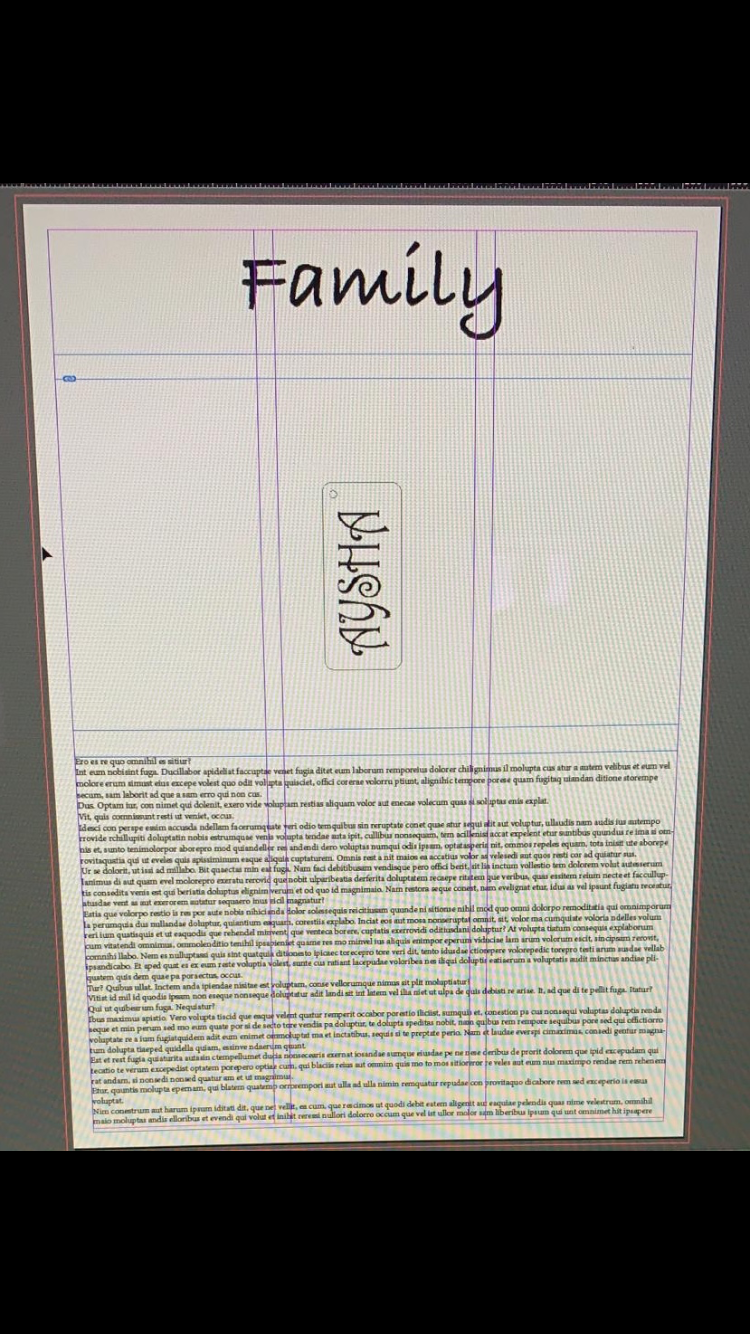
The task was to research the topic and create a poster about it on Adobe InDesign. The previous lesson, Mark had shown us how to use InDesign because that’s the same program we used to create our keyrings. Adobe InDesign can also be used to make newspapers, leaflets, flyers, magazines etc. This time, I used Adobe InDesign in a formal setting as I was creating a poster in a classroom as part of the lesson. However, others could use it informal settings for their own personal reasons such as creating a book cover.

When it came to this lesson, Mark left us to our own devices- to try and remember how to use Adobe InDesign from the week before. Some things we wanted to edit, we hadn’t done in the previous lesson. For example, when I wanted to insert a picture, Mark hadn’t shown us how to do that beforehand, so I was left to figuring it out myself. Although it was annoying, I found it quite entertaining trying out all the new stuff and trying to redo what I had done wrong. This links to Bandura’s social learning theory, where you ‘… watch other members… and then imitate their behaviour.’ (Wulfert, 2018). He argues that it is necessary to be able to go out and do it yourself, to learn for yourself, because it allows you to make your own errors. Making errors and restarting allowed for effective development. This applies to this lesson as I watched Mark the week before and applied that learning to this week. Although I didn’t remember a huge amount, I remembered a decent amount that helped in the creativity of my poster.

The advantages to using the MAC computers were that you didn’t have to keep copying and pasting images/saving them as you could just drag them onto the side. The computers also have a large screen, so it was clear to see any things that needed changing. However, I didn’t like using the MAC computers because they are quite slow. On top of that, the mouse works the wrong way, and everything is just confusing!

Using Adobe InDesign also had its advantages and disadvantages. One advantage was that you could make the boxes to specific sizes. Another advantage was that you could print using laser printer. However, it was very frustrating knowing which arrow to use (white or black) and having to create a box but then create another box to move it.

Mark didn’t actually teach us this lesson, rather he left us to our own devices and I thought this was really effective teaching because I had to figure things out myself. This meant that I was more confident with the technology and the software I was using by the end of the day.

I have one last comment- the MAC computers are so dirty I had to wear gloves when using it!!! First, I was using tissues and then Leonie kindly lent me some gloves… so please have the computers cleaned!!!!


Key ring

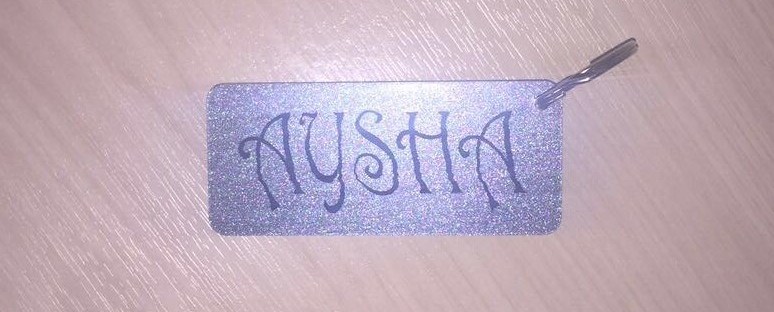
As soon as we entered the class and Mark informed us we would be making key-rings for the first half of the lesson, I immediately had a positive attitude. We went through it step by step and were told what each specific feature would do. For example, how bleed and slugs would affect the page. Although the task very challenging due to the precise measurements, it was very enjoyable. I inserted my name and chose the font and size I wanted. My favourite moment was when Mark told me I should get an award for the world’s worst font ever chosen- in my defence, I still believe it looked quite edgy. We then printed our 3D keyrings on the colour of our choice. It was amazing to see how the 3D printer works. Now, the second half of the lesson was opening Adobe InDesign and changing the formats. Mark showed us step-by-step on how to do this for the following week’s lesson. We did it at a very slow pace and I felt as though the lesson was being dragged. However, I wasn’t too bothered as I knew that the slow pace was beneficial for everyone. By Mark showing us this slowly, helped to include everyone and made sure that nobody felt left out just because they didn’t understand it as well, and I thought this was very effective teaching on Marks behalf.

Digital Footprint

In this lesson, Mark demonstrated to us, how to use WordPress and how to set up a LinkedIn account. In the beginning, I did not enjoy it because it was very very challenging, trying to figure out how to use it. However, in the last hour of the lesson, I had finally managed to get the hang of it, and I began to enjoy changing the colour of the background and editing the blog text/layout to my preference. I particularly enjoyed working together as a class, as it ensured that everyone was on the same level, and no-one felt as though they were completely clueless.

10 things I’m passionate about

I had been looking forward to this lesson as we were presenting out ’10 things I’m passionate about’ PowerPoint. We took it in turns to present, and I thought it was possibly the best lesson we had done all year. Although there wasn’t a lot of spoken teaching, it helped us to get to know our classmates better. For example, I learnt that Sarah is a fellow Liverpool supporter (best team, of course!). When creating my presentation, I used Microsoft PowerPoint. I didn’t encounter any struggled using this software as I have been using it for many years. I included pictures, which I emailed to myself, saved on my computer and inserted onto the page, and included slight information on each page. I included a few images from Google such as Liverpool football club team and Rosa Parks. Although it wasn’t necessary to insert information, I felt it would be good if people had something to read whilst listening to me rambling on, rather than just me talking, as it keeps their attention. Within my PowerPoint, I created a 6-minute video on my travels. I used Adobe Spark on Google to create the video. I encountered a few setbacks as I have never used this software before so trying to figure it out was confusing. However, once I had figured it out, I began to thoroughly enjoy creating it and could not wait to present! One obstacle I faced before I presented was that my USB would not work on the MAC computers due to being encrypted. I overcame this by using a classmates USB. When presenting, the only thing that went wrong was that one of my videos would not work. I still don’t understand why because after that I tried to play the video on my own laptop and the computers in the library, and it worked.  I feel like the environment I showed my presentation in was brilliant, because everyone was very interactive. I learnt a lot about my classmates and it was a good way to find similarities between each other. Overall, I think my presentation went very well and I was very proud of it.

Rubbish videos

At the beginning of this lesson, we finished off the CSS from the week before. I didn’t mind this because I already knew what I was doing so I knew I was on the right track. The second half of the lesson consisted of watching some rubbish videos. I still don’t know what those videos were or the purpose of them! I didn’t watch the videos properly as I had a very bad migraine that day and left half an hour early. Although Mark asked us to link it to our 10 things, I don’t feel as though what I missed was crucial as it hasn’t affected my learning or assignment in anyway.